Java 24 was released a couple of weeks ago.
In this post I’ll show how to create a web app with Java 24,
 Quarkus,
 Maven
(at the moment Gradle will support Java 24 in
Maven
(at the moment Gradle will support Java 24 in 8.14 to be released soon ), and
deploy it in Fly.io
using a GitHub Actions workflow.
Before you start
|
I am on the fly legacy hobby plan which allows to run 3 micro vm’s with a free tier. This plan is not available for new signups. For more information review Fly.io Resource pricing. |
If you want to follow along the examples in this post, you should have a fly.io account, and you should have installed:
-
SDKMAN cli ( Install sdkman )
-
Java JDK
24( install withsdk install java 24-tem) -
Maven
3.9.9( install withsdk install maven 3.9.9) -
Quarkus CLI
3.21.0( install withsdk install quarkus 3.21.0) -
flyctl CLI
v0.3.90or newer (Install flyctl) -
GitHub cli ( Install GitHub cli )
-
Git, no particular version
-
Docker engine/docker desktop if you want to build the docker image locally without pushing to a docker registry
-
An IDE, (I will be using IntelliJ, but VS Code or if old school vi or emacs also works)
Generate the quarkus project
Quarkus has a powerful cli to either bootstrap a new project, add dependencies or update a project. However, similar to Spring Initializr you can also generate a new project at https://code.quarkus.io/ .
Generate the project skeleton
export FLY_APP="java24on";\(1)
quarkus create app org.thedude:$FLY_APP:1.0.0 \(2)
  --java=24 \
  --no-dockerfiles \(3)
  --description "A Java 24 web app" \
--extensions "quarkus-rest,quarkus-rest-qute,quarkus-rest-jsonb,quarkus-container-image-jib" (4)| 1 | This will generate a project with org.thedude as groupId and java24on as artifactId and 1.0.0 as the version |
| 2 | We are going to use Google JIB (Java Image Builder) so no docker files are required. |
| 3 | A minimal set of quarkus extensions to get started, basically supporting rest, json and qute template engine |
This bootstrapping of the project will generate an output similar to
WARNING: A terminally deprecated method in sun.misc.Unsafe has been called
WARNING: sun.misc.Unsafe::objectFieldOffset has been called by org.jboss.threads.JBossExecutors (file:/home/ubuntu/.sdkman/candidates/quarkus/3.21.0/lib/quarkus-cli-3.21.0-runner.jar)
WARNING: Please consider reporting this to the maintainers of class org.jboss.threads.JBossExecutors
WARNING: sun.misc.Unsafe::objectFieldOffset will be removed in a future release
Looking for the newly published extensions in registry.quarkus.io
-----------
selected extensions:
- io.quarkus:quarkus-container-image-jib
- io.quarkus:quarkus-rest-qute
- io.quarkus:quarkus-rest-jsonb
- io.quarkus:quarkus-rest


applying codestarts...
📚 java
🔨 maven
📦 quarkus
📝 config-properties
🔧 tooling-maven-wrapper
🚀 rest-codestart
🚀 rest-qute-codestart

-----------
[SUCCESS] ✅  quarkus project has been successfully generated in:
--> /home/ubuntu/java24on
-----------
Navigate into this directory and get started: quarkus dev
Now we have the project generated, we change to its directory and then issue a tree command
which outputs the project structure that contains a sample hello endpoint, a sample page and a unit test
cd java24on
tree
ubuntu@java24:~$cd java24on
ubuntu@java24:~/java24on$ tree
.
├── README.md
├── mvnw
├── mvnw.cmd
├── pom.xml
└── src
    ├── main
    │   ├── java
    │   │   └── org
    │   │       └── thedude
    │   │           ├── GreetingResource.java
    │   │           └── SomePage.java
    │   └── resources
    │       ├── application.properties
    │       └── templates
    │           └── page.qute.html
    └── test
        └── java
            └── org
                └── thedude
                    ├── GreetingResourceIT.java
                    └── GreetingResourceTest.java

12 directories, 10 files
|
Unless specified otherwise all the commands specified on this post are run from the root of the generated project |
Create fly configuration file and fly app
-
Create fly configuration file
fly launch commandexport FLY_REGION='ams'; \(1) export FLY_APP='java24on'; \(2) fly launch --no-create --vm-size shared-cpu-1x --region $FLY_REGION --name $FLY_APP --auto-stop off1 Choose a region from fly platform regionsor look at Fly Regions2 Use the same FLY_APP value used when creating the quarkus project
Be sure to reply with No ('N') at the interactive prompts.
Scanning source code
Could not find a Dockerfile, nor detect a runtime or framework from source code. Continuing with a blank app.
Creating app in /home/ubuntu/java24on
We're about to launch your app on Fly.io. Here's what you're getting:

Organization: ***************          (fly launch defaults to the personal org)
Name:         java24on                 (specified on the command line)
Region:       Amsterdam, Netherlands   (specified on the command line)
App Machines: shared-cpu-1x, 256MB RAM (specified on the command line)
Postgres:     <none>                   (not requested)
Redis:        <none>                   (not requested)
Tigris:       <none>                   (not requested)

? Do you want to tweak these settings before proceeding? No
? Create .dockerignore from 2 .gitignore files? No
Wrote config file fly.toml
This command only created the fly.toml configuration file, with minimal configuration.
fly.toml# fly.toml app configuration file generated for java24on on 2025-04-01T09:36:36+02:00
#
# See https://fly.io/docs/reference/configuration/ for information about how to use this file.
#
app = 'java24on'
primary_region = 'ams'
[http_service]
internal_port = 8080
force_https = true
auto_stop_machines = 'off'
auto_start_machines = true
min_machines_running = 0
processes = ['app']
[[vm]]
size = 'shared-cpu-1x'-
Create fly application
Create fly appexport FLY_APP='java24on'; fly apps create $FLY_APP
fly apps createautomatically selected personal organization: ************
New app created: java24on|
This the step that reserves your app name, if the app name already exists you will get the following error
|
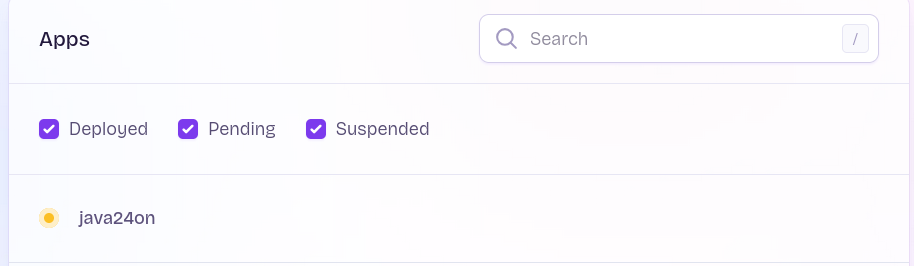
If you browse to the Fly Dashboard , you will see the app with pending state
Run the project locally
As per the final output of the scaffolding command,
we can run the following command to start the server in dev mode
quarkus dev -Dquarkus.analytics.disabled=trueThen the project will start on development mode, after downloading all dependencies there will be an output snippet like the following indicating the server is already running
quarkus dev indicating server ready__ ____ __ _____ ___ __ ____ ______ --/ __ \/ / / / _ | / _ \/ //_/ / / / __/ -/ /_/ / /_/ / __ |/ , _/ ,< / /_/ /\ \ --\___\_\____/_/ |_/_/|_/_/|_|\____/___/ 2025-03-31 16:00:22,762 INFO [io.quarkus] (Quarkus Main Thread) java24on 1.0.0 on JVM (powered by Quarkus 3.21.0) started in 2.650s. Listening on: http://localhost:8080 2025-03-31 16:00:22,771 INFO [io.quarkus] (Quarkus Main Thread) Profile dev activated. Live Coding activated. 2025-03-31 16:00:22,773 INFO [io.quarkus] (Quarkus Main Thread) Installed features: [cdi, qute, rest, rest-jsonb, rest-qute, smallrye-context-propagation, vertx] -- Tests paused Press [e] to edit command line args (currently ''), [r] to resume testing, [o] Toggle test output, [:] for the terminal, [h] for more options>
Then you can open your browser at http://localhost:8080 and will get the Quarkus development ui welcome, listing the endpoints (one is a simple hello returning text and the other is a web page )
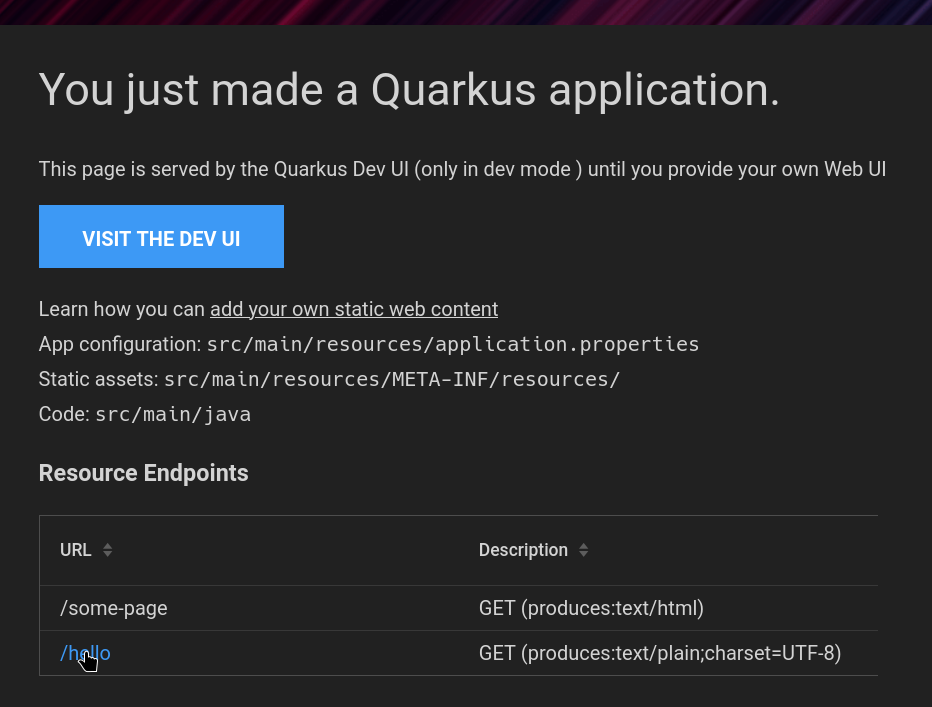
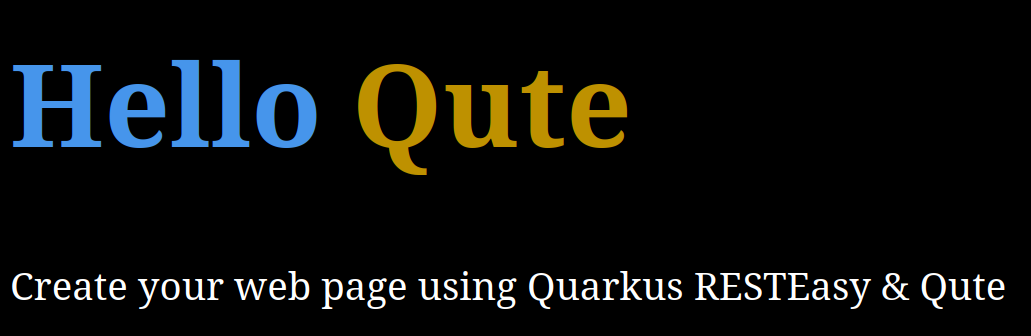
If you click any of these you will get the typical response Hello Quarkus in text plain or a sample web page
|
If you have the port 8080 occupied by another process or not available, then you will get an error message.
You can change the port by adding |
To stop the server simply press Ctrl+C
Initialize git repository and commit starter point
Before continuing let’s initialize a git repository
git init --initial-branch=main
git add .
git commit -m"Initial commit"
At this point will be good to open the project folder in your favorite editor and run quarkus dev while you are making changes to see them as you progress.
Also, create a new GitHub repository and then add the remote to your local working copy:
export YOUR_GITHUB_USERNAME=user (1)
export YOUR_GITHUB_REPO=repo (2)
git remote add origin [email protected]:$YOUR_GITHUB_USERNAME/$YOUR_GITHUB_REPO.git| 1 | Change to your GitHub username |
| 2 | Change to your GitHub repository |
Then push
git push -u origin mainUse jdk 24 and add a runtime info endpoint
Maven project changes
The quarkus starter only uses LTS versions of the jdk,
since 24 is not lts, we need to change a few settings on the maven project ( pom.xml ).
This would be:
-
Maven compiler version
-
Compiler plugin configuration changes to enable preview features.
-
Surefire and Failsafe plugin changes to enable preview features.
-        <maven.compiler.release>21</maven.compiler.release>
+        <maven.compiler.release>24</maven.compiler.release>
...
                 <configuration>
+                    <compilerArgs>--enable-preview</compilerArgs>
                     <parameters>true</parameters>
                 </configuration>
...
                     </systemPropertyVariables>
+                    <argLine>--enable-preview</argLine>
...
                     </systemPropertyVariables>
+                    <argLine>--enable-preview</argLine>
Add a runtime endpoint
Let’s start creating a new Runtime endpoint, create a new empty class called RuntimeResource
package org.thedude;

import jakarta.ws.rs.GET;
import jakarta.ws.rs.Path;
import jakarta.ws.rs.Produces;
import jakarta.ws.rs.core.MediaType;

@Path("/api") (1)
public class RuntimeResource {

}| 1 | All endpoints in this class will be under /api |
Now we add a record to hold te runtime information to return as json:
    public record RuntimeInfo(String jdk, String version, String upTime, String message) {
    }
And finally create the actual endpoint
    @GET
    @Path("/runtime")  (1)
    @Produces(MediaType.APPLICATION_JSON) (2)
    public RuntimeInfo runtimeInfo() {
    return new RuntimeInfo(System.getProperty("java.vm.name"),System.getProperty("java.version"), (3)
        "0", "Hello from Quarkus!");
}| 1 | The path for this particular method, combined with the class annotation makes the endpoint available at /api/runtime |
| 2 | Content type indicator for json, and the quarkus-jsonb extension will convert the record to json |
| 3 | These system properties indicate the jvm version and name. |
After this the endpoint can be accessed on the browser by going to http://localhost:8080/api/runtime
Or with curl
curl http://localhost:8080/api/runtimeThen the response is something like
{"jdk":"OpenJDK 64-Bit Server VM","message":"Hello from Quarkus!","upTime":"0","version":"24"}Make the endpoint return the correct uptime and add unit test
Add a new class called Startup under src/main/java/org/thedude
package org.thedude;

import java.time.Instant;

import io.quarkus.runtime.StartupEvent;
import jakarta.enterprise.context.ApplicationScoped;
import jakarta.enterprise.event.Observes;

@ApplicationScoped
public class Startup {

    static Instant startedAt;

    public void start(@Observes StartupEvent event){
        startedAt = Instant.now();
    }

}
Modify the runtimeInfo endpoint to calculate uptime
runtimeInfo endpoint on RuntimeResource Instant now = Instant.now();
Duration elapsed = Duration.between(Startup.startedAt, now);
String upTime = String.format("%d days %02d h : %02d m :%02d s",
elapsed.toDays(),
elapsed.toHoursPart(),
elapsed.toMinutesPart(),
elapsed.toSecondsPart());
return new RuntimeInfo(System.getProperty("java.vm.name"),
System.getProperty("java.version"),
upTime, "Hello from Quarkus!");Create new test class RuntimeResourceTest under src/test/java/org/thedude
package org.thedude;

import io.quarkus.test.junit.QuarkusTest;
import org.junit.jupiter.api.Test;

import static io.restassured.RestAssured.given;
import static org.hamcrest.core.IsNull.notNullValue;
import static org.hamcrest.Matchers.equalTo;

@QuarkusTest
class RuntimeResourceTest {

    @Test
    void testRuntimeInfo() {
        given()
                .when().get("/api/runtime")
                .then()
                .statusCode(200)
                .body("jdk", notNullValue(),
                        "version", equalTo("24"),
                        "upTime", notNullValue(),
                        "message", notNullValue());
    }
}
Building docker images
Regular JVM docker image
Let’s add some configuration required to build the docker image.
Open the src/main/resources/application.properties file and add the following properties
quarkus.jib.jvm-arguments=--enable-preview(1)
quarkus.container-image.group=
quarkus.container-image.additional-tags=dev(2)
quarkus.container-image.build=true(3)
quarkus.container-image.registry=registry.fly.io(4)
quarkus.jib.base-jvm-image=eclipse-temurin:24_36-jre-ubi9-minimal(5)| 1 | Enable preview on the container entrypoint. |
| 2 | Indicates the additional tags for the docker image. |
| 3 | Force a docker image build. |
| 4 | Indicates the registry where the docker image is going to be pushed to. |
| 5 | Base jvm image, if not overridden it would use 21 which is the default |
Now to build the image issue the following maven command
mvn package
mvn package[INFO] --- quarkus:3.21.0:build (default) @ java24on ---
[INFO] [io.quarkus.container.image.jib.deployment.JibProcessor] Starting (local) container image build for jar using jib.
[INFO] [io.quarkus.container.image.jib.deployment.JibProcessor] Using docker to run the native image builder
[WARNING] [io.quarkus.container.image.jib.deployment.JibProcessor] Base image 'quay.io/quarkus/ubi9-quarkus-mandrel-builder-image:jdk-24.0.0' does not use a specific image digest - build may not be reproducible
[INFO] [io.quarkus.container.image.jib.deployment.JibProcessor] Using base image with digest: sha256:995b904942618a4061a6f99f499b3e97dcf86ce381025985cb0acc4d59efed08
[INFO] [io.quarkus.container.image.jib.deployment.JibProcessor] Container entrypoint set to [java, -Djava.util.logging.manager=org.jboss.logmanager.LogManager, -jar, quarkus-run.jar]
[INFO] [io.quarkus.container.image.jib.deployment.JibProcessor] Created container image registry.fly.io/java24on:1.0.0 (sha256:18625962a0a56cba88cffd23a549c721fba02a61df5c0a692fc6155ce5bc47a2)In the previous output we see the quarkus jib extension messages where it has created the container image: registry.fly.io/java24on:1.0.0
You can see or inspect the images either using docker desktop, dive or by simply listing the images with docker images registry.fly.io/java24on
docker images registry.fly.io docker images registry.fly.io/java24on
REPOSITORY TAG IMAGE ID CREATED SIZE
registry.fly.io/java24on 1.0.0 024550a45b14 24 seconds ago 387MB
registry.fly.io/java24on dev 024550a45b14 24 seconds ago 387MBHowever, the image is a bit large still, we can try to build a native image to reduce the size.
Building a native image
To build a native image we need to add some properties in the application.properties file,
application.properties# Make container image native
quarkus.native.enabled=true(1)
quarkus.jib.native-arguments=--enable-preview(2)
quarkus.jib.base-native-image=quay.io/quarkus/ubi9-quarkus-micro-image:2.0@sha256:4aca9e59852aa69d42ce7d86cb33eab368471b9be908622362316d883ebfffcf(3)
quarkus.native.builder-image=quay.io/quarkus/ubi-quarkus-graalvmce-builder-image:jdk-24(4)| 1 | Indicates to make a native executable |
| 2 | Enable preview |
| 3 | If not overridden it would use a 21 image |
| 4 | The native executable it will be built in a container otherwise we would have to install graalvm |
Before rebuilding let’s change our project version to see the image size difference
mvn -q -B versions:set -DnewVersion=1.0.1 -DgenerateBackupPoms=falsemvn packageThis build will be a lot longer than a regular jvm docker image, since it will pull docker images and the longest part will be the compilation of a native executable.
This can vary depending on your system resources.
Build resources:
 - 26.49GB of memory (42.6% of 62.22GB system memory, determined at start)
 - 16 thread(s) (100.0% of 16 available processor(s), determined at start)
WARNING: A terminally deprecated method in sun.misc.Unsafe has been called
WARNING: sun.misc.Unsafe::arrayBaseOffset has been called by io.netty.util.internal.shaded.org.jctools.util.UnsafeRefArrayAccess (file:/project/lib/io.netty.netty-common-4.1.118.Final.jar)
WARNING: Please consider reporting this to the maintainers of class io.netty.util.internal.shaded.org.jctools.util.UnsafeRefArrayAccess
WARNING: sun.misc.Unsafe::arrayBaseOffset will be removed in a future release
WARNING: A restricted method in java.lang.System has been called
WARNING: java.lang.System::loadLibrary has been called by com.aayushatharva.brotli4j.Brotli4jLoader in an unnamed module (file:/project/lib/com.aayushatharva.brotli4j.brotli4j-1.16.0.jar)
WARNING: Use --enable-native-access=ALL-UNNAMED to avoid a warning for callers in this module
WARNING: Restricted methods will be blocked in a future release unless native access is enabled

[2/8] Performing analysis...  [******]                                                                  (25.3s @ 1.13GB)
   12,673 reachable types   (86.4% of   14,665 total)
   17,495 reachable fields  (52.3% of   33,457 total)
   62,579 reachable methods (57.2% of  109,310 total)
    4,033 types,    35 fields, and 1,217 methods registered for reflection
       62 types,    68 fields, and    55 methods registered for JNI access
        0 downcalls and 0 upcalls registered for foreign access
        4 native libraries: dl, pthread, rt, z
[3/8] Building universe...                                                                               (4.1s @ 1.30GB)
[4/8] Parsing methods...      [**]                                                                       (2.5s @ 1.42GB)
[5/8] Inlining methods...     [***]                                                                      (1.5s @ 1.56GB)
[6/8] Compiling methods...    [*****]                                                                   (27.0s @ 1.29GB)
[7/8] Laying out methods...   [***]                                                                      (7.0s @ 1.68GB)
[8/8] Creating image...       [***]                                                                      (5.4s @ 1.11GB)
  25.29MB (44.93%) for code area:    40,709 compilation units
  27.25MB (48.40%) for image heap:  328,582 objects and 71 resources
   3.75MB ( 6.67%) for other data
  56.30MB in total
------------------------------------------------------------------------------------------------------------------------
Top 10 origins of code area:                                Top 10 object types in image heap:
  13.53MB java.base                                            6.96MB byte[] for code metadata
   1.91MB svm.jar (Native Image)                               4.28MB byte[] for java.lang.String
   1.19MB java24on-1.0.1-runner.jar                            3.18MB java.lang.Class
 947.26kB modified-io.vertx.vertx-core-4.5.13.jar              2.99MB java.lang.String
 651.95kB io.quarkus.qute.qute-core-3.21.0.jar                 1.06MB com.oracle.svm.core.hub.DynamicHubCompanion
 632.27kB io.netty.netty-buffer-4.1.118.Final.jar            966.37kB byte[] for general heap data
 481.42kB io.netty.netty-common-4.1.118.Final.jar            800.87kB byte[] for reflection metadata
 412.61kB io.netty.netty-codec-http-4.1.118.Final.jar        581.02kB java.lang.String[]
 381.19kB org.eclipse.yasson-3.0.4.jar                       527.39kB java.util.HashMap$Node
 370.65kB io.netty.netty-transport-4.1.118.Final.jar         503.23kB java.lang.Object[]
   4.58MB for 89 more packages                                 5.48MB for 3276 more object types
------------------------------------------------------------------------------------------------------------------------
Recommendations:
 HEAP: Set max heap for improved and more predictable memory usage.
 CPU:  Enable more CPU features with '-march=native' for improved performance.
------------------------------------------------------------------------------------------------------------------------
                       4.8s (5.9% of total time) in 914 GCs | Peak RSS: 2.50GB | CPU load: 10.21
------------------------------------------------------------------------------------------------------------------------
Build artifacts:
 /project/build-artifacts.json (build_info)
 /project/java24on-1.0.1-runner (executable)
 /project/java24on-1.0.1-runner-build-output-stats.json (build_info)
========================================================================================================================
Finished generating 'java24on-1.0.1-runner' in 1m 20s.
[INFO] [io.quarkus.deployment.pkg.steps.NativeImageBuildRunner] docker run --env LANG=C --rm --user 1000:1000 -v /home/ubuntu/java24on/target/java24on-1.0.1-native-image-source-jar:/project:z --entrypoint /bin/bash quay.io/quarkus/ubi-quarkus-graalvmce-builder-image:jdk-24 -c objcopy --strip-debug java24on-1.0.1-runner
[INFO] [io.quarkus.container.image.jib.deployment.JibProcessor] Starting (local) container image build for native binary using jib.
[INFO] [io.quarkus.container.image.jib.deployment.JibProcessor] Using docker to run the native image builder
[INFO] [io.quarkus.container.image.jib.deployment.JibProcessor] Using base image with digest: sha256:4aca9e59852aa69d42ce7d86cb33eab368471b9be908622362316d883ebfffcf
[INFO] [io.quarkus.container.image.jib.deployment.JibProcessor] Container entrypoint set to [./application, --enable-preview]
[INFO] [io.quarkus.container.image.jib.deployment.JibProcessor] Created container image registry.fly.io/java24on:1.0.1 (sha256:3c8d1e006ad29ca26b0f7e7a6f985bc299053583b45ab964bd97edae3b48361e)

[INFO] [io.quarkus.deployment.QuarkusAugmentor] Quarkus augmentation completed in 152617ms
[INFO] ------------------------------------------------------------------------
[INFO] BUILD SUCCESS
[INFO] ------------------------------------------------------------------------
[INFO] Total time:  02:42 min
[INFO] Finished at: 2025-03-31T19:02:33+02:00
[INFO] ------------------------------------------------------------------------
If we inspect docker images again with docker images registry.fly.io/java24on
docker images registry.fly.io/java24ondocker images registry.fly.io/java24on REPOSITORY TAG IMAGE ID CREATED SIZE registry.fly.io/java24on 1.0.1 1941f765f44e 5 minutes ago 80.9MB registry.fly.io/java24on dev 1941f765f44e 5 minutes ago 80.9MB registry.fly.io/java24on 1.0.0 024550a45b14 39 minutes ago 387MB
We see the size of the image has shrunk, and it’s a size that can run on the fly vm firecracker machines with 256mb of memory.
Add a GitHub Actions workflow file, configure secrets
Add basic maven package build
Create .github/workflows directory
mkdir -p .github/workflowsAdd a file build.yml in the .github/workflows directory
name: Quarkus Build
on:
  push:
    branches:
      - main

jobs:
  build:
    name: quarkus build
    runs-on: ubuntu-latest
    steps:
      - uses: actions/checkout@11bd71901bbe5b1630ceea73d27597364c9af683 # v4.2.2
      - uses: actions/setup-java@3a4f6e1af504cf6a31855fa899c6aa5355ba6c12 # v4.7.0
        with:
          distribution: 'temurin'
          java-version: '24'
      - name: Cache m2 dependencies
        uses: actions/cache@5a3ec84eff668545956fd18022155c47e93e2684 # v4.2.3
        with:
          path: ~/.m2/repository
          key: ${{ runner.os }}-maven-${{ hashFiles('**/pom.xml') }}
          restore-keys: |
            ${{ runner.os }}-maven-

      - name: Build with maven
        id: mavenbuild
        run: |
          mvn package
If we commit and push this workflow file, when executed it will build the image but won’t push it, we can see it at the end of the output
Finished generating 'java24on-1.0.1-runner' in 4m 1s.
[INFO] [io.quarkus.deployment.pkg.steps.NativeImageBuildRunner] docker run --env LANG=C --rm --user 1001:118 -v /home/runner/work/java24on/java24on/target/java24on-1.0.1-native-image-source-jar:/project:z --entrypoint /bin/bash quay.io/quarkus/ubi-quarkus-graalvmce-builder-image:jdk-24 -c objcopy --strip-debug java24on-1.0.1-runner
[INFO] [io.quarkus.container.image.jib.deployment.JibProcessor] Starting (local) container image build for native binary using jib.
[INFO] [io.quarkus.container.image.jib.deployment.JibProcessor] Using docker to run the native image builder
[INFO] [io.quarkus.container.image.jib.deployment.JibProcessor] Using base image with digest: sha256:4aca9e59852aa69d42ce7d86cb33eab368471b9be908622362316d883ebfffcf
[INFO] [io.quarkus.container.image.jib.deployment.JibProcessor] Container entrypoint set to [./application, --enable-preview]
[INFO] [io.quarkus.container.image.jib.deployment.JibProcessor] Created container image registry.fly.io/java24on:1.0.1 (sha256:1a8c2468d4c2f31e7c3808b52df8114e0a089f16e874d3e36d17d12b1207d04e)
Let’s make it push to the fly registry and configure the app for running behind the fly proxy.
Configure auth with the Fly.io registry
To push the image to the fly container registry, we need to create the actual fly app and a token to push the images there and to deploy it.
-
Create a token for CI
Create fly deploy tokenFLY_DEPLOY_TOKEN=$(fly tokens create deploy --name "java 24 app ci token") -
Create GitHub secret for the fly deploy token
Create GitHub Secretexport YOUR_GITHUB_USERNAME=user export YOUR_GITHUB_REPO=repo gh secret set QUARKUS_CONTAINER_IMAGE_PASSWORD --repo $YOUR_GITHUB_USERNAME/$YOUR_GITHUB_REPO -b "$FLY_DEPLOY_TOKEN" -
Create GitHub variable for the fly registry username
Create GitHub Variableexport YOUR_GITHUB_USERNAME=user export YOUR_GITHUB_REPO=repo gh variable set QUARKUS_CONTAINER_IMAGE_USERNAME --repo $YOUR_GITHUB_USERNAME/$YOUR_GITHUB_REPO -b "x"Yes the username is
x, not sure why, if this is set as a secret allxget masked in the GitHub actions build outputs.
Add environment variables section
Before the build jobs list, add the following environment variables section
.github/workflows.build.ymlenv:
QUARKUS_CONTAINER_IMAGE_PUSH: 'true'(1)
QUARKUS_CONTAINER_IMAGE_ADDITIONAL_TAGS: 'latest'(2)
QUARKUS_CONTAINER_IMAGE_USERNAME: '${{ vars.QUARKUS_CONTAINER_IMAGE_USERNAME }}'(3)
QUARKUS_CONTAINER_IMAGE_PASSWORD: '${{ secrets.QUARKUS_CONTAINER_IMAGE_PASSWORD }}'(4)| 1 | Force a container image push |
| 2 | Override the additional tags to latest instead of dev (from the application.properties) |
| 3 | Use the GitHub Action variable for the username |
| 4 | Use the GitHub Action secret for the token to the container registry |
Add deploy to fly job
Because the deployment to fly is with a different cli than quarkus, we need to provide an output variable that will hold the whole docker image intended to deploy. And also we need to tell quarkus to trust the fly proxy.
We need to modify the environment section to add
.github/workflows.build.ymlQUARKUS_CONTAINER_IMAGE_NAME: 'java24on'(1)
QUARKUS_CONTAINER_IMAGE_REGISTRY: 'registry.fly.io'(2)
QUARKUS_HTTP_PROXY_TRUSTED_PROXIES: '0:0:0:0:0:0:0:1,172.16.0.0/16'(3)| 1 | Fly app |
| 2 | Registry host |
| 3 | Fly proxy |
Declare an output variable in the quarkus build job:
.github/workflows.build.yml outputs:
fly_image: ${{ steps.mavenbuild.outputs.FLY_IMAGE }}Modify the quarkus build script to produce the output variable
.github/workflows.build.yml - name: Build with maven
id: mavenbuild
run: |
MVN_VERSION=$(mvn -B -q -Dexec.executable=echo -Dexec.args='${project.version}' exec:exec)(1)
IMAGE_PREFIX="$QUARKUS_CONTAINER_IMAGE_REGISTRY/$QUARKUS_CONTAINER_IMAGE_NAME"(2)
echo "FLY_IMAGE=$IMAGE_PREFIX:$MVN_VERSION" >> $GITHUB_OUTPUT(3)
mvn -B -q package| 1 | Set MVN_VERSION from the pom.xml |
| 2 | Create a prefix variable |
| 3 | Set the output variable writing to >> $GITHUB_OUTPUT, the FLY_IMAGE has to match the output declaration |
Now we add a deploy job which reads the previous job output
.github/workflows.build.yml deploy:
name: deploy-fly
needs: [build]
runs-on: ubuntu-latest
concurrency: deploy-group
steps:
- uses: actions/checkout@11bd71901bbe5b1630ceea73d27597364c9af683 # v4.2.2
- uses: superfly/flyctl-actions/setup-flyctl@master
- run: |
flyctl deploy --image $FLY_IMAGE --ha=false(1)
env:
FLY_API_TOKEN: ${{ secrets.QUARKUS_CONTAINER_IMAGE_PASSWORD }}(2)
FLY_IMAGE: ${{needs.build.outputs.fly_image}} (3)| 1 | Deploy the image with no high availability. |
| 2 | Use GitHub secret to define FLY_API_TOKEN, to be able to deploy |
| 3 | Use the output variable that holds the whole image reference as in registry.fly.io:appname:version |
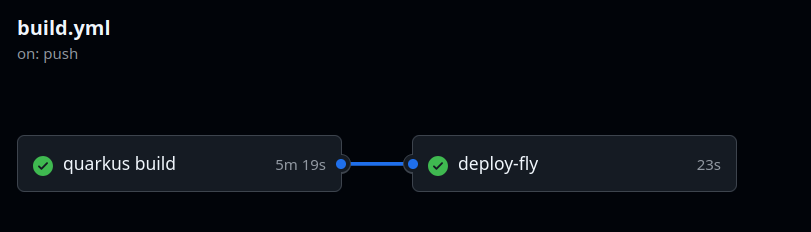
If commit and push everything so far to the main branch, the GitHub Actions workflow will execute once more
While the deploy-fly job is running, is wise to look at the fly dashboard to monitor its deployment,
by going to https://fly.io/apps/yourappplaceholder/monitoring
Although it is quite quick compared against building the image, the deployment seems to take less than a minute.
This can also be obtained from the deploy-fly job console output.
deploy-flyThis deployment will: * create 1 "app" machine > Launching new machine No machines in group app, launching a new machine > Machine 17814579a09528 [app] was created ✔ Machine 17814579a09528 [app] update finished: success Finished launching new machines Checking DNS configuration for java24on.fly.dev Visit your newly deployed app at https://java24on.fly.dev/
Hopefully once completed you will have the 2 jobs green.
Add default index
So far the application is deployed, but alas has no default index page!
If you navigate to the urls
it works but if you go to
We get a white 404 page, with text "Resource not found"
Let’s fix this.
-
Create a new
IndexResourceclass undersrc/main/java/org/thedudeIndexResource.javapackage org.thedude; import io.quarkus.qute.CheckedTemplate; import io.quarkus.qute.TemplateInstance; import jakarta.ws.rs.GET; import jakarta.ws.rs.Path; @Path("/") (1) public class IndexResource { @CheckedTemplate static class Templates { public static native TemplateInstance index(); (2) } @GET public TemplateInstance index() { return Templates.index(); } }1 This makes this endpoint the root or index 2 The name of the class and method determines the file to be rendered. It will be src/resources/templates/IndexResource/index.html -
Create the index.html file
src/resources/templates/IndexResource/index.html<!DOCTYPE html> <html lang="en"> <head> <meta charset="UTF-8"> <title>Hallo</title> </head> <body> Hallo Quarkus! </body> </html>
Now when we browse to http://localhost:8080 we get a blank page with Hallo Quarkus!
Add and endpoint which uses a preview feature
We will use a simple switch to see Primitive Types in Patterns, instanceof, and switch 2nd Preview [JEP 488]
Basically a text endpoint named travelAdjective that given an int get parameter countries_visited
returns a string adjective according to the number of countries visited.
Modify the previous index resource to have a simple get method as follows
`src/main/java/org/thedude/IndexResource.javapackage org.thedude;
import io.quarkus.qute.CheckedTemplate;
import io.quarkus.qute.TemplateInstance;
import jakarta.ws.rs.GET;
import jakarta.ws.rs.Path;
import jakarta.ws.rs.Produces;
import jakarta.ws.rs.QueryParam;
import jakarta.ws.rs.core.MediaType;
@Path("/")
public class IndexResource {
@CheckedTemplate
static class Templates {
public static native TemplateInstance index();
}
@GET
public TemplateInstance index() {
return Templates.index();
}
@GET
@Path("travelAdjective")
@Produces(MediaType.TEXT_PLAIN)
public String travelAdjective(@QueryParam("countries_visited") int countriesVisited) {
return switch(countriesVisited) {
case int i when i <=0 -> "QA Tester Traveller";
case int i when i>=1 && i<=5 ->
"""
Explorer
A person who's just starting to explore the world, visiting a few countries.
""";
case int i when i<=10 ->
"""
Traveler
Someone who enjoys traveling but hasn't ventured far beyond a handful of destinations.
""";
case int i when i<=20 ->
"""
Adventurer
A person who actively seeks out new places and experiences,
with a solid amount of travel under their belt.
""";
case int i when i<=30 ->
"""
Wanderer
Someone with a keen sense of curiosity, visiting a variety of places across different regions.
""";
case int i when i<=40 ->
"""
Nomad
A person who's traveled extensively, and may even travel long-term,
hopping between countries frequently.
""";
case int i when i<=50 ->
"""
Jetsetter
Someone who is constantly on the move,
frequently traveling to diverse and sometimes exotic locations.
""";
case int i when i<=75 ->
"""
Globetrotter
An individual who has visited a large portion of the world's countries,
embodying the spirit of global travel.
""";
case int i when i<255 ->
"""
World Traveler
A true global citizen, having seen a vast majority of the world’s countries,
and potentially a well-seasoned expert in travel and cultures.
""";
default -> "Travel freak";
};
}
}Now if you curl or access on the broswer the endpoint http://localhost:8080/travelAdjective?countries_visited=6 or http://localhost:8080/travelAdjective?countries_visited=54 can see the different responses from the switch.
Add pico for css styling, fontawesome for icons, and htmx to call the endpoints in a kinda single page web app
Add the following dependencies in the pom.xml file
        <dependency>
            <groupId>io.quarkus</groupId>
            <artifactId>quarkus-web-dependency-locator</artifactId>
        </dependency>
        <dependency>
            <groupId>org.webjars.npm</groupId>
            <artifactId>picocss__pico</artifactId>
            <version>2.1.1</version>
        </dependency>
        <dependency>
            <groupId>org.webjars.npm</groupId>
            <artifactId>htmx.org</artifactId>
            <version>2.0.4</version>
        </dependency>
        <dependency>
            <groupId>org.webjars.npm</groupId>
            <artifactId>fortawesome__fontawesome-free</artifactId>
            <version>6.7.2</version>
        </dependency>
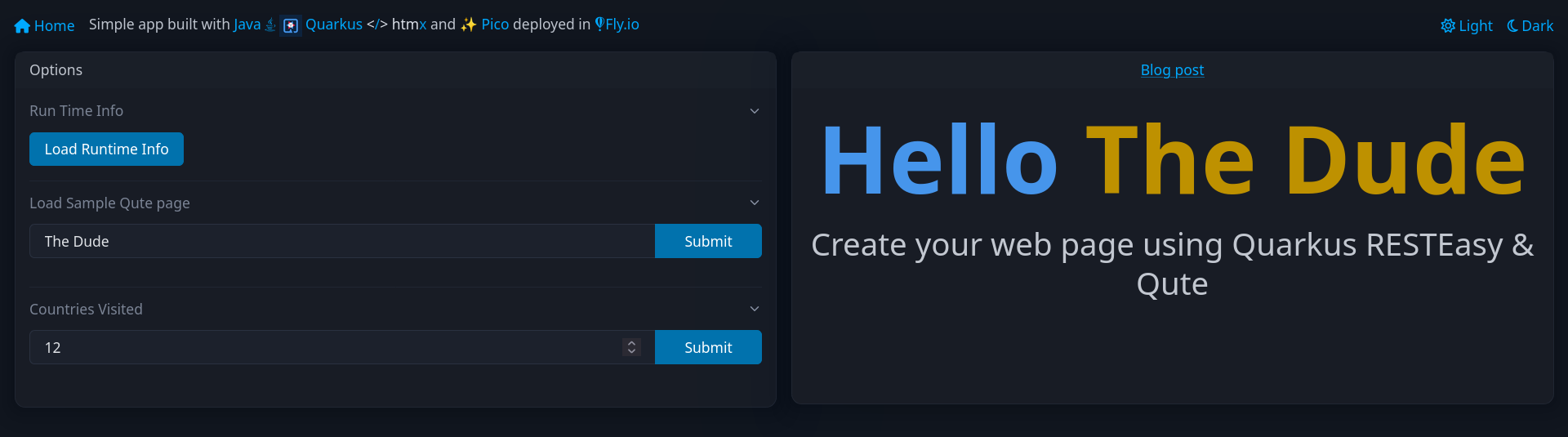
Now we modify the index.html page
    <link rel="stylesheet" href="/webjars/picocss__pico/css/pico.min.css" />
    <link rel="stylesheet" href="/webjars/picocss__pico/css/pico.colors.min.css" />
    <link rel="stylesheet" href="/webjars/fortawesome__fontawesome-free/css/all.min.css" />
    <link rel="stylesheet" href="/webjars/fortawesome__fontawesome-free/css/v4-shims.min.css" />
    <script src="/webjars/htmx.org/dist/htmx.min.js"></script>
Now the main page will have 3 sections and content target area that will load the different endpoints
<main class="container-fluid">
    <section>
        <div class="grid">
            <div>
                <article>
                    <header>Options</header>
                    <details open>
                        <summary>Run Time Info</summary>
                        <p><button hx-get="/api/runtime" hx-target="#content">Load Runtime Info</button></p>
                    </details>
                    <hr />
                    <details open>
                        <summary>Load Sample Qute page</summary>
                        <fieldset role="group">
                            <input type="text" name="name" placeholder="Enter your name?" aria-label="Name">
                            <button hx-get="/some-page" hx-include="[name='name']" hx-target="#content">Submit</button>
                        </fieldset>
                    </details>
                    <hr />
                    <details open>
                        <summary>Countries Visited</summary>
                        <fieldset role="group">
                            <input type="number" name="countries_visited" placeholder="How many countries have you visited?" aria-label="Number of languages">
                            <button hx-get="/travelAdjective" hx-target="#content" hx-include="[name='countries_visited']">Submit</button>
                        </fieldset>
                    </details>
                </article>
            </div>
            <div>
                <article style="text-align:center">
                    <main id="content" style="height: 270px;">
                        <img src="/static/images/theater-dalle.webp" width="250"/>
                    </main>
                </article>
            </div>
        </div>
    </section>
</main>
Comments
To add comments, reply in my Bluesky post